FREE TOOL LAUNCHED! CALCULATE RENEWAL FEES FOR YOUR PATENT FAMILY INSTANTLY
Try now

Patent renewal management often becomes complex before the actual patent renewal even begins. You may already know which patents you want to keep active, but still need to go through several admin before you can move forward: sharing portfolio data, waiting for cost overview, confirming deadlines, and aligning internally on renewal decisions.
If you want to optimize patent renewals, reduce manual work, or avoid unnecessary costs and markups, the first step is getting your portfolio, deadlines, and costs into a clear setup. Traditionally, that can take time because the process often starts with calls, file sharing, and back-and-forth.
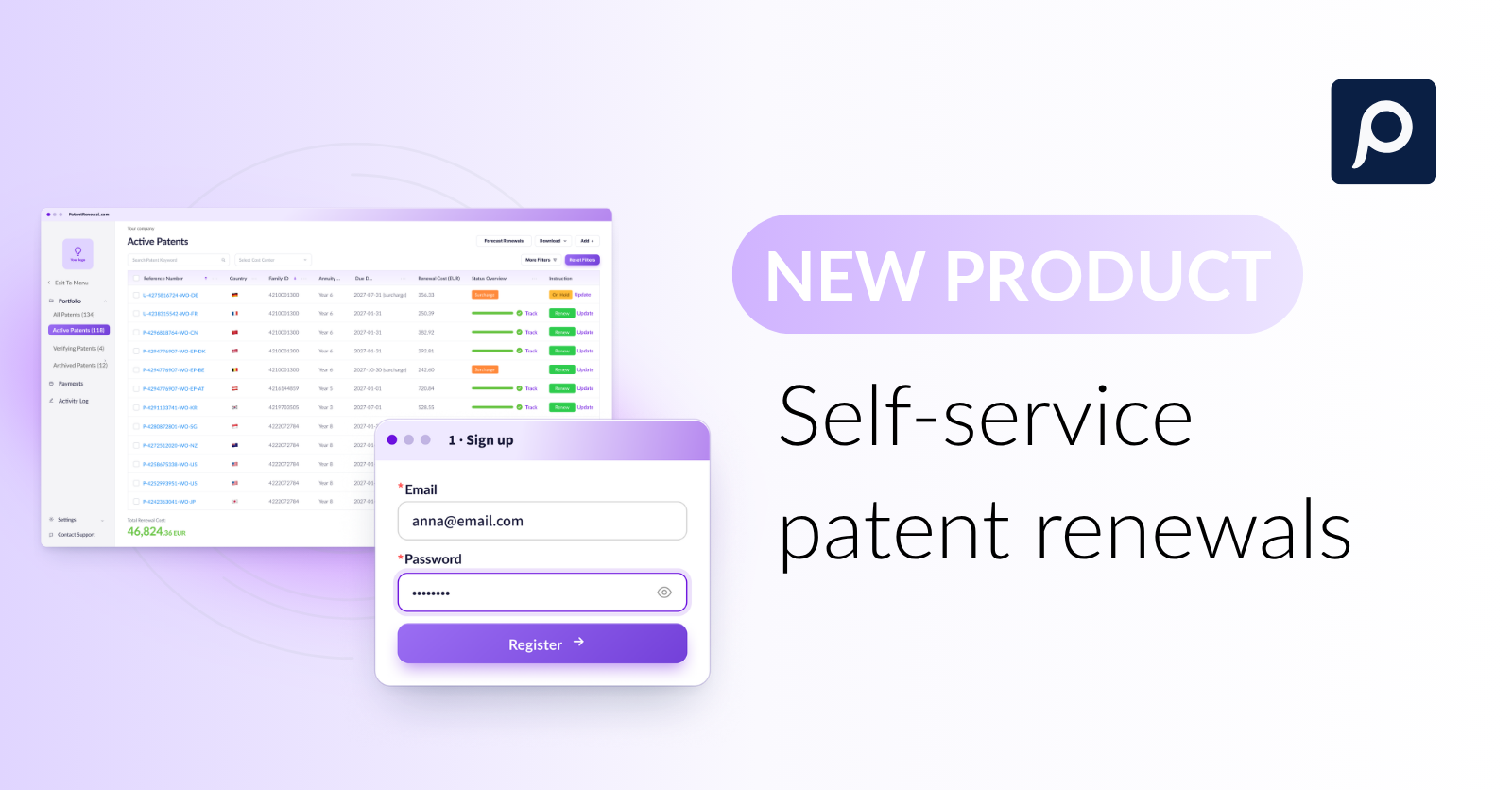
With online sign-up, you can start faster: create your account, upload your portfolio, and pay for renewed patents.
This guide explains how online patent renewal works, what information you need to get started, how expert verification supports the process, and how online renewal management gives you more control with less manual coordination.
Online patent renewal means starting and managing patent renewal payments through a digital IP renewal provider.
This can make a big difference once patent renewal management becomes more than a single payment. As soon as a portfolio includes several patents, countries, deadlines, currencies, invoices, and internal approval steps, the process becomes harder to control with spreadsheets, email threads, or separate provider updates.
That is why the right renewal setup matters. Different options give your team different levels of visibility, support, cost clarity, and responsibility. Before choosing how to renew patents online, it helps to understand what each setup usually includes and what your team still needs to manage.
| IP renewal setup | What it usually includes | What your team still manages |
|---|---|---|
| Direct patent office payment | Paying official fees directly where available. | Everything from deadlines, rules, receipts, local agents, records, and country differences. |
| Law firm-managed renewals | Attorney or agent support for renewals (usually outsourced to a renewal provider). | Email coordination, approvals, cost review, and portfolio overview. |
| Traditional IP renewal provider | Renewal handling after provider-led onboarding. | Setup steps, data sharing, approvals, and payment. |
| Online patent renewals: platform with expert support | Digital platform access, instant setup, transparent costs, and renewal handling. | Uploading portfolio data and paying invoices on time. |
PatentRenewal.com’s self-service sign-up solution fits into the last category. It combines direct platform access with expert review, transparent invoicing, and professional renewal handling.
Online patent renewal is useful for patent owners who want a faster and clearer way to move from portfolio data to active renewal management. It is especially helpful if:
Our online patent renewal option, which we call self-service, is available to companies of all sizes and portfolios.
The term “self-service” naturally raises a question: does this mean you need to manage patent renewals on your own?
With PatentRenewal.com, the answer is no.
Self-service simply changes how you get started. Instead of a sales and onboarding process, you can create an account, upload your portfolio, and begin the workflow online. The critical parts of the renewal process, including renewal checks, payment preparation, and renewal execution, remain overseen by PatentRenewal.com’s renewals team.
The goal is to make the process faster and more convenient without removing the safeguards that keep renewals secure. That’s the key difference: self-service does not mean taking on the risk yourself.
Here’s how the online patent renewal process works with PatentRenewal.com.
Start by opening the sign-up form and creating your PatentRenewal.com account. You will need to enter:
Once your account is created, you get immediate access to the PatentRenewal.com platform. At this stage, your dashboard will be empty because no portfolio data has been added yet. The next step is to upload your patent portfolio so the renewal setup can begin.
After creating your account, the next step is adding your patent portfolio to the platform.
You can do this in two ways. If you only have a few patents, you can add them manually one by one. If your portfolio is in an Excel file, CSV file, old renewal report, attorney export, or another document, you can upload the file directly.
For bulk uploads, you do not need to clean up every detail yourself before getting started. PatentRenewal.com’s experts can review the file, organize the data, and add the patents to the platform for free.
Your patent data should include:
This is where online renewal setup becomes more efficient than scattered manual tracking. Instead of managing different files, inbox threads, reminders, and invoice records, you can start centralizing the information from the beginning.
This is one of the most important parts of the process.
Self-service sign-up should not mean that patent owners are left alone to interpret every patent renewal rule, deadline, or data issue. Patent renewals are too important for unchecked information.
After you upload your portfolio, PatentRenewal.com’s IP renewal experts verify the data before your patents get renewed. Expert verification helps reduce the risk of:
After your portfolio has been reviewed, PatentRenewal.com checks which renewals are coming up and prepares the right payment request.
For each upcoming renewal, you receive a payment email or invoice with the renewal details and a clear cost breakdown. This is when payment is due. (You do not need to pay when you first create your account.)
The invoice shows the relevant cost categories, including official fees, service fees, currency exchange costs, and local agent costs (where they are legally required). Once the invoice is paid, PatentRenewal.com can move forward with the renewal.
Timing can vary by jurisdiction. Some renewals can still be handled quickly, while others may take longer because of local agent handling or bank processing times. PatentRenewal.com manages these requirements for you, but the payment needs to be settled before the renewal can be completed.
Once you pay the invoice, PatentRenewal.com handles the renewal payment process to the relevant patent office. After we process a renewal, the status and related documents will be updated in the platform, so your team can keep track of what has been completed.
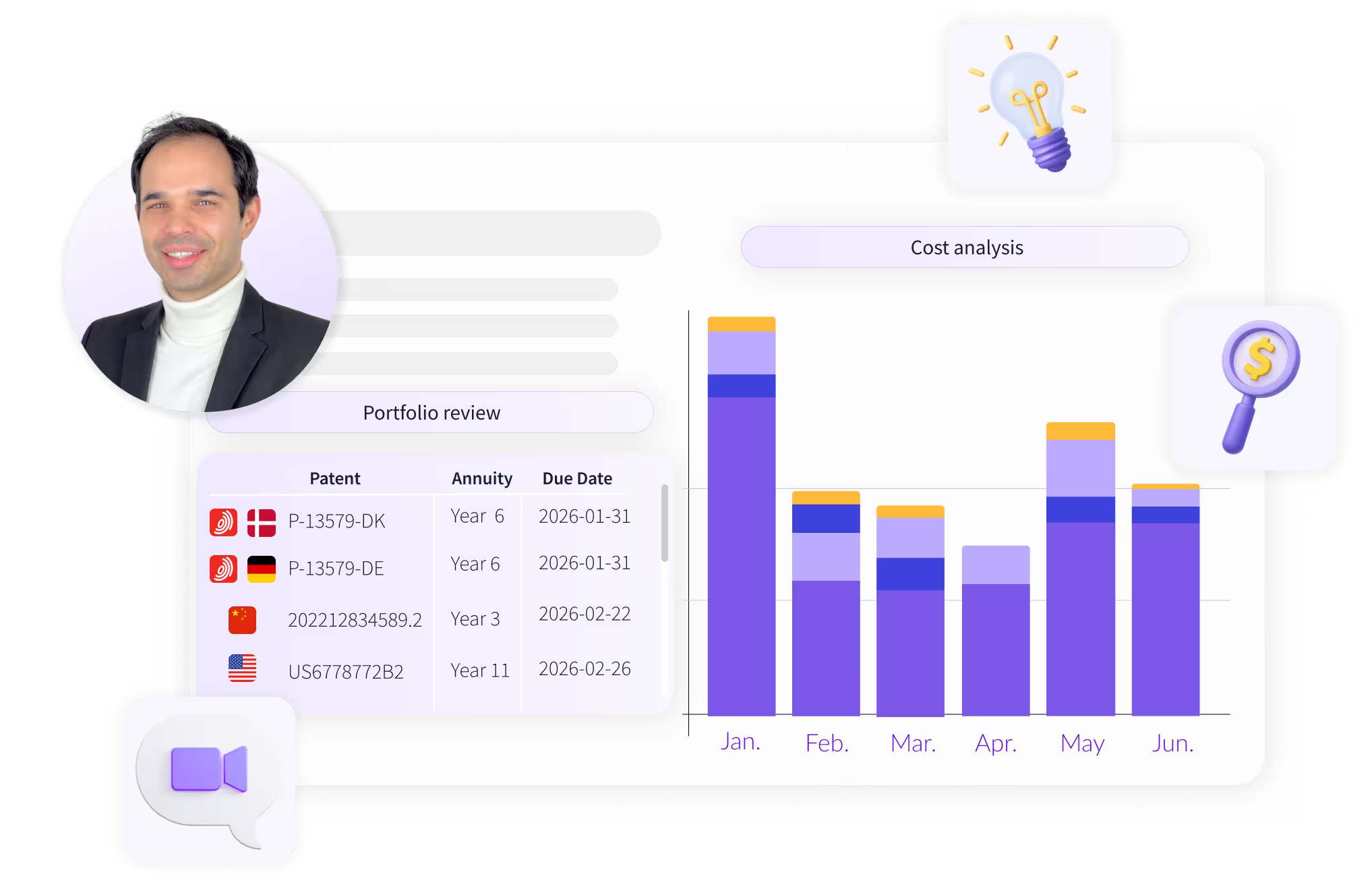
Once your portfolio is uploaded and reviewed, the platform gives you a clearer way to manage upcoming renewals, costs, invoices, documents, and renewal decisions in one place.
This helps your team:
The platform also helps with renewal budgeting and forecasting. You can review upcoming and past renewal costs, understand cost categories, and plan annual or monthly renewal spend more clearly.
This makes it easier for IP, legal, and finance teams to stay aligned and make renewal decisions with better cost visibility.
Use this checklist if you want to start managing patent renewals online:
Want to optimize patent renewal costs and move to a more modern renewal platform? Create your account, upload your portfolio, and start your setup directly with PatentRenewal.com.
Can I renew a patent online?
Yes. You can renew a patent online either by paying through an official patent office system or by using an online patent renewal platform. A platform is usually more helpful when you manage several patents, deadlines, documents, or countries.
Are self-service or online patent renewals safe?
Self-service patent renewal is safer when it includes expert verification. With PatentRenewal.com, users can start directly by uploading their portfolio, while experts verify the data before renewals are managed.
What happens after I upload my portfolio?
After you upload your portfolio, PatentRenewal.com verifies the data, checks key renewal information, and helps prepare the portfolio for renewal management. You can then manage deadlines, instructions, costs, documents, and renewal status in one platform.
Who is online patent renewal best for?
Online patent renewal is useful for patent owners, startups, SMEs, in-house IP teams, finance teams, and companies with global patent portfolios. It is especially helpful for teams that need deadline visibility, transparent costs, and reliable renewal handling.
Can online patent renewal help reduce costs?
Yes, it can. A transparent renewal platform can help you understand renewal costs more clearly, avoid unnecessary admin, plan budgets, and identify potential savings. PatentRenewal.com can help companies save up to 50% on patent renewals by making the renewal process much more efficient.
Does PatentRenewal.com handle global patent renewals?
Yes. PatentRenewal.com supports global patent renewal management and helps patent owners manage renewals across different countries with expert verification, transparent costs, and guaranteed on-time renewal handling.
How do I start with PatentRenewal.com?
You can start by creating an account through PatentRenewal.com’s self-service sign-up, uploading your patent portfolio, and letting the expert verification process begin. Once your data is reviewed, you can manage renewals in one secure online platform.
Interested in a free IP renewal consultation? Benchmark your current IP renewal setup and costs against market standards.

.png)